VA1 / front page / Milton Keynes
Good software is hundreds of small decisions, made on purpose.
VA1 Tech designs, builds, publishes and supports mobile apps, websites and interfaces. We are particular about the small things — the label on a button, the order of a form, the moment an error appears — because those are what people actually experience.
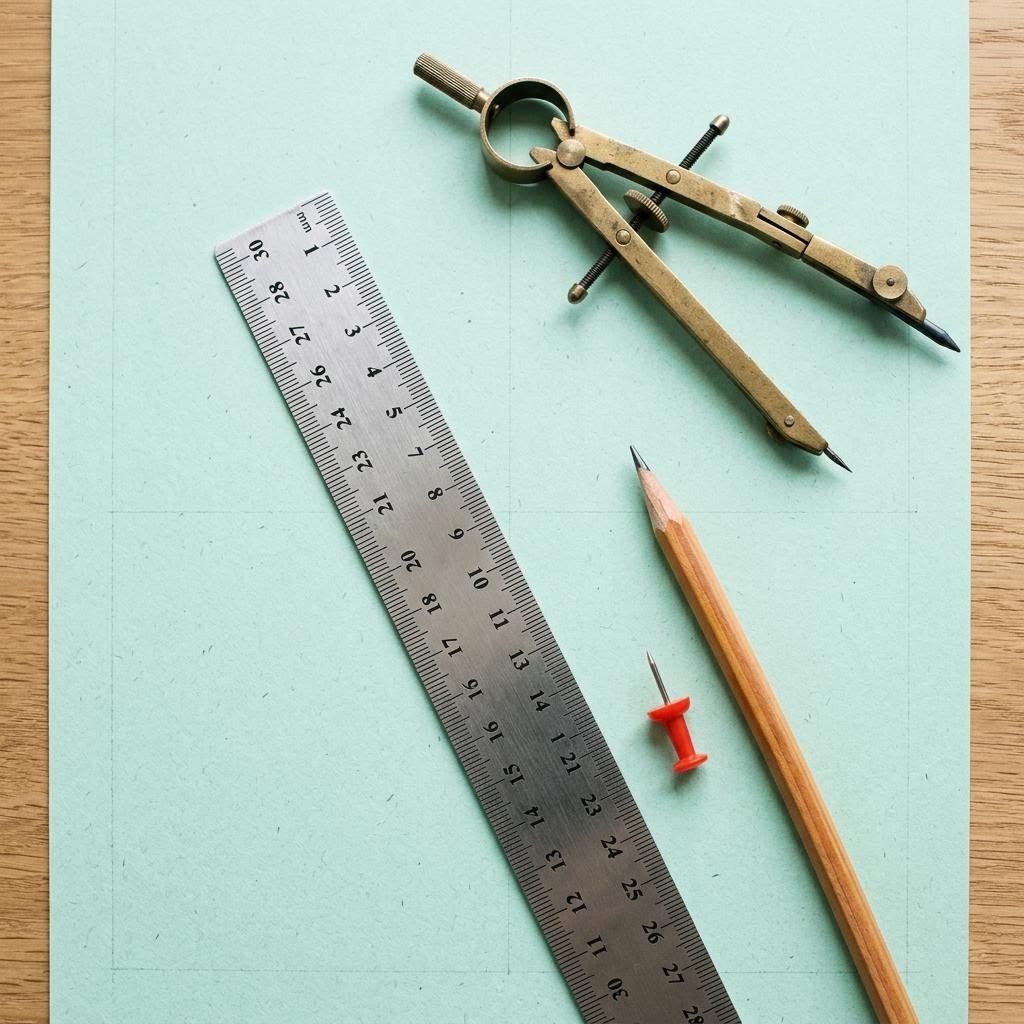
- a The ruler: we measure what exists before proposing anything new.
- b The pencil: early work stays erasable — sketches, then prototypes, then code.
§1
A few decisions we make on every project
None of these is dramatic. Together they are the difference between software people tolerate and software they trust.
§2
What we make, drawer by drawer

Mobile apps
iOS and Android apps, native or cross-platform, for customers, members or staff. We pay particular attention to the first five minutes: permissions asked at the right moment, sign-in that does not fight password managers, and a first screen that is useful rather than decorative.
Mobile in detailWebsites and web tools
Public websites, account areas, booking and ordering flows, and internal tools. Fast pages, forms that keep your input when things go wrong, and content your team can edit without calling us.
Web in detailInterface design
Research conversations, journey maps, wireframes, clickable prototypes and a documented component library. Every component comes with its states and its wording.
Design in detailPublishing
App Store and Google Play submissions, listings, privacy declarations, release notes, and website content migration with redirects.
Publishing in detailSupport
Fixes, compatibility updates and small improvements after launch, read and handled Monday to Friday, 09:00–18:00 London time.
Support in detail§3 · Tool one
Decide what launches first
Scope trimmer illustrative
Tick the features you are considering. For each, say how many users need it on day one. The trimmer splits a first release from later ones, keeping the first within the effort budget you set.
First release
Later
§4
Apps and websites, built with margins
The difference between a good app and an average one is rarely the feature list. It is what happens in the margins: a slow connection on a train, a session that expires mid-form, a screen reader announcing an unlabeled icon, a user who taps twice because nothing seemed to happen the first time.
So we build those margins deliberately. Mobile apps that behave sensibly offline. Web pages that load quickly on an older phone. Forms that remember what you typed. Feedback that appears within a tenth of a second, even if the real work takes longer.
We use mainstream, well-supported technology — Swift, Kotlin, Flutter or React Native for mobile; modern HTML, CSS and TypeScript with a sensible server stack for the web — so another team could continue the work without starting again.
§5
Anatomy of one button
Interface design, shown at the smallest useful scale. Seven decisions in a single control.
- Label states the outcome, not the mechanism.
- Size at least 44 by 44 points so thumbs land reliably.
- Contrast 4.5:1 or better against its background.
- Focus a visible outline for keyboard users, never removed.
- Pressed immediate feedback, before the server replies.
- Busy disabled while working, to prevent double booking.
- Failure a message next to it explaining what to do next.
§6 · Tool two
Keep a decision log
Decision log yours to keep
Record a decision, the reason, and when to revisit it. Export as plain text for your project folder. Entries stay in this browser only if you accept optional storage.
§7
Publishing, checked line by line
- Developer accounts in your organisation’s name
- Store listing written in plain British English
- Screenshots for every required device size
- Privacy labels matched to what the code collects
- Reviewer notes and a working test account
- Phased rollout where the store allows
- Release notes a customer would actually read
- Old web addresses redirected after a migration
§8
Tolerances
Engineers specify how far a part may vary. These are ours.
- Progress reporting
- Written note every week; never more than seven days of silence.
- Working builds
- Something you can open yourself at least every two weeks.
- Scope changes
- Zero unlogged. Every change written with its effect before work starts.
- Accessibility
- WCAG 2.2 AA target; known gaps listed, not hidden.
- Ownership
- Code and accounts in your name from day one.
§9 · Tool three
Turn change lists into release notes
Release-notes tidier illustrative
Paste raw change lines, as developers write them. Lines starting with fix, add, change or remove are grouped and rewritten into plain-English release notes.
§10
After launch
Operating systems update, browsers change, libraries age. We provide fixes, compatibility updates and small improvements, handled Monday to Friday, 09:00–18:00 London time. No pretend round-the-clock cover; just steady, documented care.
Support page§12
Have a decision to make?
Tell us what you are building, or what is not working. We reply in working hours with considered questions, not a template.
Write to VA1